
News & Events
Google AdSense Ad Units: Types, Formats & Best Placements (2026)
No Comments
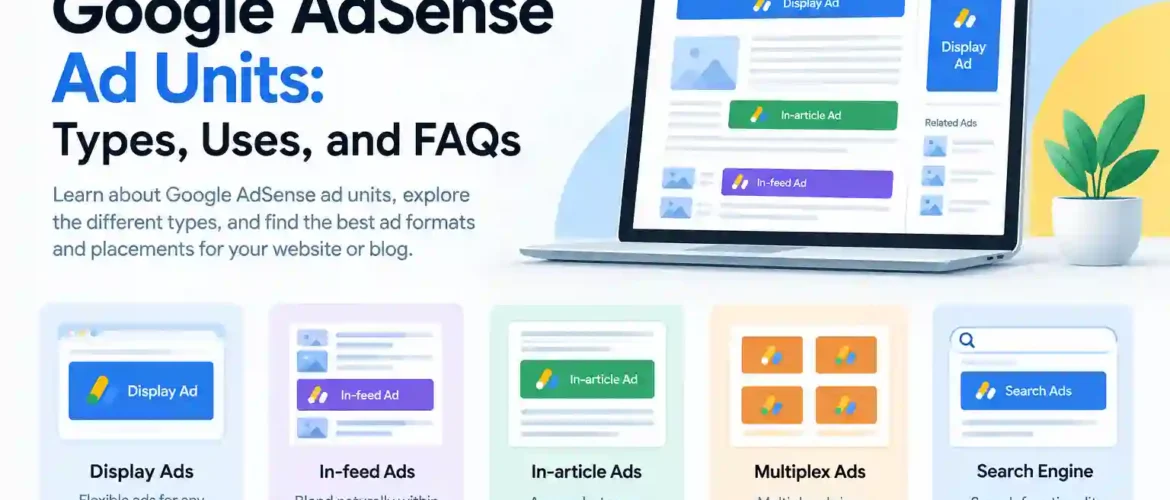
Google AdSense Ad Units: Types, Uses, and FAQs
Table of Contents
- What Is an Ad Unit?
- How Do Ad Units Work?
- Types of Google AdSense Ad Units
- Display Ads
- In-feed Ads
- In-article Ads
- Multiplex Ads
- Search Engine
- Display Ads
- In-feed Ads
- In-article Ads
- Multiplex Ads
- Search Engine Ads
- How to Choose the Right Ad Unit
- Where Should You Place Ad Units on a Blog?
- Best Practices for AdSense Ad Units
- Frequently Asked Questions (FAQ)
- Conclusion
1. What Is an Ad Unit?
An ad unit is a space on a website or blog where Google AdSense can display advertisements. Publishers can create ad units in their AdSense account and place the generated ad code on their website.
The advertisements displayed in the ad unit can vary depending on the content of the page, visitor, device, and available advertisers.
2. How Do Ad Units Work?
When you place an AdSense ad unit on your website, Google can use that space to display relevant advertisements.
For example, a blog article might contain an in-article ad between two paragraphs. A sidebar might contain a display ad, while a list of blog posts could contain an in-feed ad.
The basic process is:
Create an ad unit → Get the ad code → Add the code to your website → Google serves ads → You can earn from eligible ad interactions
3. Types of Google AdSense Ad Units
Google AdSense currently provides several ad-unit formats for publishers:
1. Display Ads
Display ads are general-purpose ads that can appear in different sizes and formats. They are designed to work across desktop, mobile, and other screen sizes.
2. In-feed Ads
In-feed ads appear naturally within a list or feed of content. They are particularly useful for blogs, news websites, and websites that display multiple articles or products in a list.
3. In-article Ads
In-article ads are designed to appear between paragraphs of an article. They can be useful for long-form blog posts because they fit naturally within the reading experience.
4. Multiplex Ads
Multiplex ads display multiple advertisements together in a grid-like format. They can be useful near the end of an article or other content areas where several recommendations can be displayed.
5. Search Engine
The Search Engine option allows publishers to provide search functionality on their website, with advertising opportunities associated with search results where applicable.
4. Display Ads
Display ads are one of the most flexible AdSense formats.
They can be used in areas such as:
- Website headers
- Sidebars
- Between sections
- Footers
- Blog pages
- Landing pages
For a general-purpose blog, display ads can be a good starting point because they can fit many different website layouts.
5. In-feed Ads
In-feed ads are useful when your website contains a continuous list of content.
For example:
Article 1
Article 2
Advertisement
Article 3
Article 4
The ad is designed to fit visually within the surrounding feed.
6. In-article Ads
In-article ads are specifically intended for articles and other long-form content.
For example:
Introduction
Paragraph 1…
Paragraph 2…
Advertisement
Paragraph 3…
Paragraph 4…
They can be useful when readers spend significant time reading your content.
7. Multiplex Ads
Multiplex ads show multiple ads together rather than displaying a single large advertisement.
They can work well near the end of an article, after the reader has finished the main content.
8. Search Engine Ads
A search engine can help visitors find content on your website. Depending on the AdSense product and implementation, advertisements may be shown with search results.
This type of functionality can be particularly useful for websites with a large amount of searchable content.
9. How to Choose the Right Ad Unit
The best ad unit depends on your website structure.
| Website area | Suitable ad format |
|---|---|
| General website area | Display ads |
| Blog/article list | In-feed ads |
| Inside an article | In-article ads |
| End of an article | Multiplex ads |
| Website search | Search Engine |
You don’t necessarily need to use every format. Choose formats that fit naturally into your website and provide a good experience for visitors.
10. Where Should You Place Ad Units on a Blog?
Common locations include:
- Near the top of an article
- Between sections of long articles
- Within content feeds
- Sidebar areas
- Near the end of articles
However, avoid placing so many ads that they make the page difficult to read or navigate. A good user experience should remain the priority.
11. Best Practices for AdSense Ad Units
Follow these general practices when using AdSense:
- Make your content useful and original.
- Place ads where they are visible without disrupting the reader.
- Make sure your website works well on mobile devices.
- Avoid excessive advertising.
- Don’t encourage visitors to click your ads.
- Follow Google’s AdSense and publisher policies.
- Monitor your AdSense performance and experiment carefully with placements.
12. Frequently Asked Questions (FAQ)
What is an AdSense ad unit?
An AdSense ad unit is a designated space on a website where Google can display advertisements.
How many types of AdSense ad units are there?
Google currently lists several formats, including Display ads, In-feed ads, In-article ads, Multiplex ads, and Search Engine.
Which AdSense ad unit is best for blogs?
There is no single best format for every blog. Display ads are flexible, while In-article ads can be useful inside long-form articles and In-feed ads can work well on article listing pages.
What are Display ads in AdSense?
Display ads are general-purpose advertisements that can adapt to different screen sizes and website locations.
What are In-feed ads?
In-feed ads are advertisements designed to appear naturally within a list or feed of content.
What are In-article ads?
In-article ads are designed to be placed between paragraphs or sections of an article.
What are Multiplex ads?
Multiplex ads display multiple advertisements together, generally in a grid or similar layout.
Can I use multiple AdSense ad units on one website?
Yes, different ad formats can be used on the same website when implemented in accordance with Google’s policies. The appropriate combination depends on your site’s layout and content.
Do more ads always mean more AdSense revenue?
No. Adding more ads does not automatically mean higher earnings. Excessive advertising can negatively affect the user experience. Ad placement, traffic, content, audience, and advertiser demand can all affect revenue.
Can I put AdSense ads anywhere on my website?
No. AdSense implementations must comply with Google’s publisher policies. Ads should not be placed in ways that encourage accidental clicks or otherwise violate Google’s policies.
13. Conclusion
Google AdSense offers different ad-unit formats for different types of website content. Display ads are flexible, In-feed ads work well within content lists, In-article ads fit inside articles, Multiplex ads display multiple recommendations or advertisements, and Search Engine ads can provide search functionality with advertising opportunities.
The best approach is to choose ad formats that naturally fit your website while maintaining a good experience for your visitors.