
News & Events
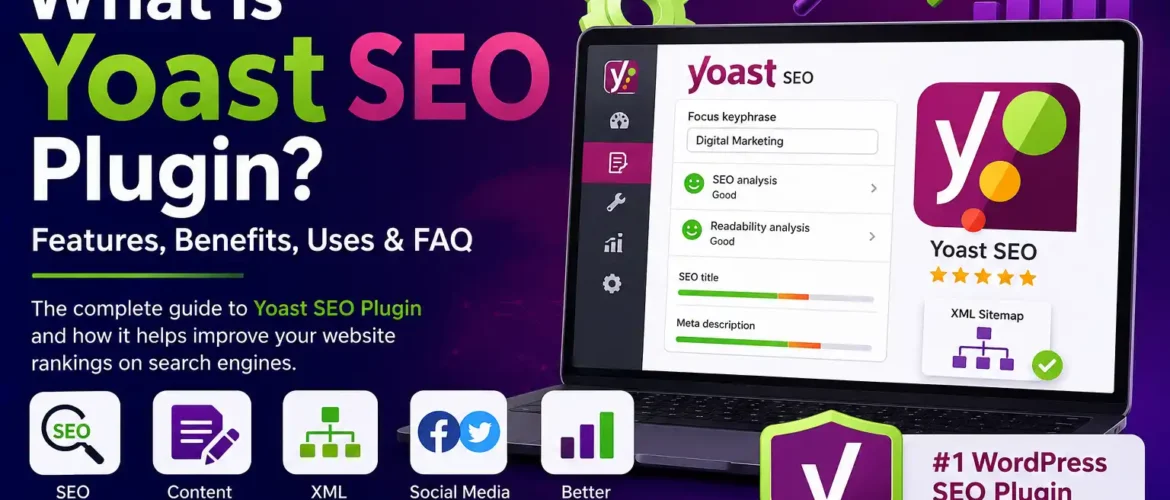
What is Yoast SEO Plugin? Complete Guide to Features, Benefits, Uses & FAQ 2026
No Comments
| No. | Topic |
|---|---|
| 1 | What is Yoast SEO Plugin? |
| 2 | Why is SEO Important? |
| 3 | What is Yoast SEO Used For? |
| 4 | Why Install the Yoast SEO Plugin? |
| 5 | Top Features of Yoast SEO |
| 6 | Free vs Premium Version |
| 7 | How to Install Yoast SEO |
| 8 | How to Configure Yoast SEO |
| 9 | Best Practices |
| 10 | Advantages and Disadvantages |
| 11 | Who Should Use Yoast SEO? |
| 12 | Frequently Asked Questions |
| 13 | Final Thoughts |
What is the Yoast SEO Plugin?
Yoast SEO is one of the most popular WordPress SEO plugins designed to help website owners optimize their content for search engines like Google, Bing, and Yahoo. Whether you are running a personal blog, business website, eCommerce store, educational website, or news portal, Yoast SEO makes search engine optimization easier without requiring advanced technical knowledge.
The plugin provides real-time SEO recommendations while creating content. It checks keyword usage, title optimization, readability, meta descriptions, internal linking, XML sitemaps, schema markup, and much more.
More than millions of WordPress websites use Yoast SEO because it simplifies technical SEO while improving website visibility in search engines. Yoast SEO Plugin Download
Why is SEO Important?
Search Engine Optimization (SEO) helps your website:
- Increase organic traffic
- Rank higher on Google
- Improve user experience
- Generate more leads
- Increase sales
- Build online credibility
- Improve website authority
- Reach your target audience
Without SEO, even high-quality content may struggle to appear in search results.
What is Yoast SEO Used For?
Yoast SEO helps website owners optimize every page and blog post before publishing.
It is commonly used for:
- Keyword optimization
- Meta title creation
- Meta description optimization
- XML Sitemap generation
- Robots meta management
- Canonical URLs
- Schema markup
- Internal linking suggestions
- Breadcrumb navigation
- Social media previews
- Readability improvement
- Duplicate content prevention
- Indexing control
Why Install the Yoast SEO Plugin?
Installing Yoast SEO provides several advantages.
1. Easy SEO Management
You don’t need to understand complicated SEO coding.
2. Better Google Rankings
The plugin helps optimize content according to SEO best practices.
3. Saves Time
Most technical SEO tasks become automated.
4. Improves Content Quality
The readability analysis helps create user-friendly content.
5. Generates XML Sitemap Automatically
Google can crawl your pages more efficiently.
6. Controls Search Engine Indexing
You can decide which pages should appear in Google.
7. Helps Write Better Titles
Optimized SEO titles improve click-through rates.
8. Prevents Duplicate Content
Canonical URL settings reduce duplicate content issues.
9. Social Media Optimization
Customize Facebook and X (Twitter) previews.
10. Regular Updates
The plugin continuously adapts to search engine best practices.
| Feature | Description | Benefit |
|---|---|---|
| SEO Analysis | Checks SEO score | Better optimization |
| Readability Analysis | Checks readability | User-friendly content |
| Focus Keyword | Optimize for target keyword | Better rankings |
| Meta Title Editor | Customize page title | Higher CTR |
| Meta Description | Improve search snippets | More clicks |
| XML Sitemap | Auto sitemap generation | Faster indexing |
| Breadcrumbs | Better navigation | Improved UX |
| Schema Markup | Structured data | Rich results |
| Canonical URL | Prevent duplicate content | Better SEO |
| Social Preview | Facebook & X preview | Better sharing |
| Robots Settings | Control indexing | Manage visibility |
| Redirect Manager* | Redirect broken URLs | Better user experience |
| Internal Linking Suggestions* | Better site structure | Stronger SEO |
| Multiple Keywords* | Optimize for several keywords | Broader optimization |
| Feature | Free | Premium |
|---|---|---|
| SEO Analysis | ✅ | ✅ |
| Readability Check | ✅ | ✅ |
| XML Sitemap | ✅ | ✅ |
| Schema | ✅ | ✅ |
| Social Preview | ✅ | ✅ |
| Internal Linking Suggestions | ❌ | ✅ |
| Redirect Manager | ❌ | ✅ |
| Multiple Focus Keywords | ❌ | ✅ |
| AI SEO Suggestions | Limited | Advanced |
| Premium Support | ❌ | ✅ |
How to Install Yoast SEO
Step 1
Login to your WordPress Dashboard.
Step 2
Go to:
Plugins → Add New
Step 3
Search for:
Yoast SEO
Step 4
Click:
Install
Step 5
Click:
Activate
Step 6
Complete the Setup Wizard.
Step 7
Configure your:
- Website name
- Organization
- Logo
- Social profiles
- Search appearance
- XML sitemap
Your plugin is now ready.
How to Configure Yoast SEO
For the best results:
- Set your website type
- Upload your logo
- Configure schema
- Enable XML sitemap
- Enable breadcrumbs if your theme supports them
- Optimize every page title
- Write unique meta descriptions
- Use one focus keyword
- Add internal links
- Compress images
- Optimize URLs
- Publish high-quality content
Best Practices for Using Yoast SEO
- Write original content.
- Use one primary keyword per page.
- Keep titles between 50–60 characters.
- Keep meta descriptions around 140–160 characters.
- Use H1, H2, and H3 headings properly.
- Add image alt text.
- Include internal and external links.
- Improve page speed.
- Optimize for mobile devices.
- Update old blog posts regularly.
| Advantage | Benefit |
|---|---|
| Beginner Friendly | Easy setup |
| Technical SEO Automation | Saves time |
| Better Content Optimization | Higher rankings |
| XML Sitemap | Faster indexing |
| Schema Support | Rich snippets |
| Readability Analysis | Better user experience |
| Regular Updates | Latest SEO practices |
| Large Community | Easy troubleshooting |
Limitations of Yoast SEO
- Green SEO score does not guarantee #1 rankings.
- Premium features require a paid license.
- Content quality remains the biggest ranking factor.
- Some advanced technical SEO tasks still require manual configuration
Who Should Use Yoast SEO?
Yoast SEO is suitable for:
- Bloggers
- Small businesses
- Digital marketers
- SEO professionals
- Educational institutions
- News websites
- Portfolio websites
- Freelancers
- Agencies
- WooCommerce stores
- Startup websites
- Corporate websites
Frequently Asked Questions (FAQ)
1. Is Yoast SEO free?
Yes. A free version is available with essential SEO features. A Premium version offers advanced tools such as redirect management and multiple focus keywords.
2. Is Yoast SEO good for beginners?
Yes. Its user-friendly interface and setup wizard make it suitable for users with little or no SEO experience.
3. Does Yoast SEO improve Google rankings?
Yoast SEO helps you follow SEO best practices, but rankings also depend on content quality, backlinks, website speed, user experience, and competition.
4. Does Yoast SEO create XML sitemaps?
Yes. It automatically generates XML sitemaps to help search engines discover your content.
5. Can Yoast SEO generate schema markup?
Yes. It adds structured data (Schema.org markup) to improve eligibility for rich search results.
6. Is Yoast SEO compatible with WooCommerce?
Yes. It works with WooCommerce, and there is also a dedicated WooCommerce SEO extension for additional optimization.
7. Does Yoast SEO slow down my website?
Generally, no. The plugin is lightweight, though overall website performance depends on hosting, themes, and other plugins.
8. Can I use Yoast SEO with page builders?
Yes. It is compatible with popular page builders such as Elementor, Beaver Builder, and others.
9. Which is better: Yoast SEO or Rank Math?
Both are excellent SEO plugins. Yoast SEO is known for its simplicity and reliability, while Rank Math offers more built-in features in its free version. The best choice depends on your workflow and requirements.
10. How often should I update Yoast SEO?
Update it whenever a new version is released to receive the latest features, security fixes, and compatibility improvements.
Conclusion
Yoast SEO remains one of the most trusted WordPress SEO plugins for improving on-page SEO, technical SEO, and content quality. It simplifies complex optimization tasks by providing actionable recommendations, automatic XML sitemaps, schema markup, and readability analysis. While no plugin can guarantee top rankings, using Yoast SEO alongside high-quality content, fast page speed, a mobile-friendly design, and a strong backlink strategy can significantly improve your website’s search visibility and long-term organic growth.